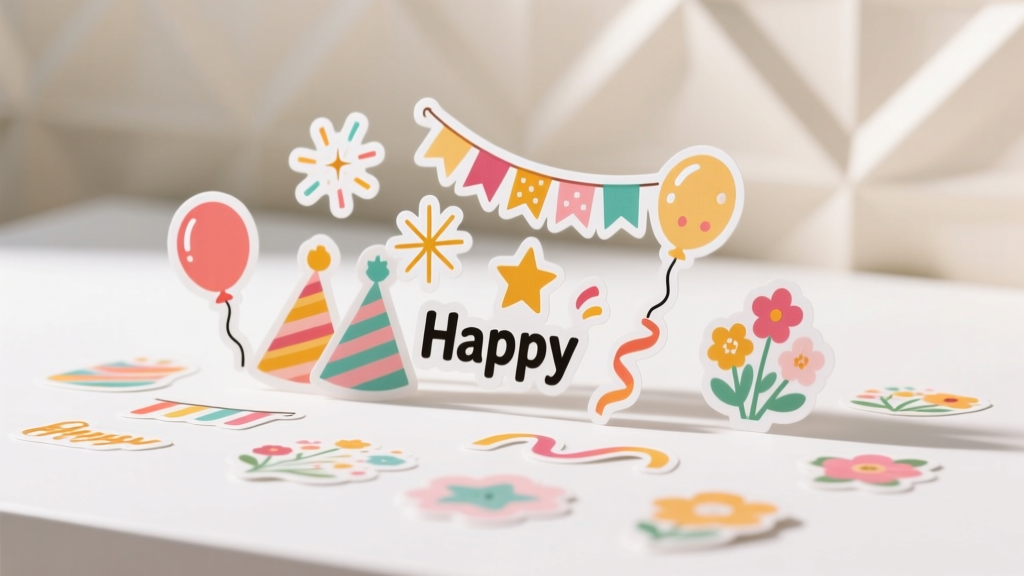
Advanced Custom Stickers for Crafters
Custom stickers are one of those magical craft supplies that instantly make party prep feel polished and personal. A simple circle sticker can turn a plain paper cup into a themed drink station, a clear label can make favor bags look boutique-worthy, and a sheet of “thank you” seals can save you tons of time when you’re finishing handmade gifts.
Even better: once you learn a few advanced sticker-making techniques—lamination, kiss-cutting, layering transparent films, and designing for different surfaces—you’ll be able to create durable, professional-looking stickers right at your craft table. This project is fun because you can see results fast (hello, instant transformation), but it also grows with your skills, whether you’re a beginner with a printer or an experienced maker with a cutting machine.
This guide walks you through materials, design choices, step-by-step methods, and pro-level upgrades so you can make custom stickers for party decorations, handmade projects, and all those little finishing touches that make guests say, “Wait… you made this?!”
Project Overview: Skill Level, Time, and What You’ll Make
- Skill level: Intermediate (with beginner-friendly options and advanced variations included)
- Time estimate:
- Design: 20–45 minutes
- Print + cut: 20–60 minutes (depending on machine and quantity)
- Optional lamination + finishing: 10–30 minutes
- Typical yield: 1 sticker sheet (8.5" x 11") makes about:
- 20–30 round stickers (2")
- 12–18 large labels (3" x 4")
- 40–60 small seals (1")
- Great for: DIY party decorations, custom favor labels, cupcake toppers, treat bag seals, water bottle labels, envelope seals, party signage accents, gift packaging, and handmade projects
Materials & Tools (with Estimated Costs)
Sticker Materials (Choose Your Finish)
- Printable sticker paper (matte or glossy), 8.5" x 11" ($8–$18 / 20–40 sheets)
- Matte: best for a handwritten look and minimal glare
- Glossy: punchy colors, more “store-bought” shine
- Printable vinyl sticker paper (water-resistant) ($12–$25 / 10–20 sheets)
- Great for party drink labels, coolers, and mild moisture
- Clear printable sticker paper (transparent labels) ($10–$22 / 10–20 sheets)
- Perfect for glass jars, candles, and a “printed-on” effect
- Laminating overlay (self-adhesive clear film) ($8–$15 / 20–40 sheets)
- Boosts durability and helps prevent smudging
Printing Supplies
- Inkjet printer (already owned; ink costs vary)
- Tip: Pigment ink tends to be more water-resistant than dye ink
- Premium paper setting (in printer settings) for richer color (no cost)
Cutting Options
- Cutting machine (optional but advanced-friendly) (e.g., Cricut/Silhouette) (already owned or $200+)
- Tool recommendation: Fine-point blade for most sticker paper; deep-point blade only if you’re cutting thick laminated stacks
- Manual cutting tools ($5–$25)
- Precision scissors
- Craft knife + self-healing cutting mat
- 2" circle punch (great for fast party seals)
- Metal ruler for straight label edges
Helpful Extras
- Brayer or scraper tool ($6–$12) for smoothing laminate
- Weeding tool or pin ($5–$10) for lifting sticker edges cleanly
- Alcohol wipes ($3–$6) for prepping surfaces (especially plastic)
- Zip bags or folders ($2–$8) for storing finished sticker sheets
Designing Stickers That Look Professional (and Work for Parties)
Pick a Sticker “Job” First
Before you design, decide what the sticker needs to do. Party stickers often fall into a few categories:
- Seals: Treat bags, envelopes, favor boxes (1"–2" circles)
- Labels: Water bottles, candles, jars, mini champagne bottles (2" x 3" up to 3" x 8")
- Name tags: Place cards, cups, party games (2.5" x 3.5" typical)
- Decor accents: Banner embellishments, party signage icons, scrapbook-style pieces (varied sizes)
Use the Right Resolution & Bleed
- Resolution: Design at 300 DPI for crisp print.
- Bleed: Extend background color/pattern 0.125" (1/8") past the cut line so you don’t get white edges.
- Safe margin: Keep text and important icons 0.10"–0.15" inside the cut line.
Party-Ready Fonts and Readability
- Keep small text at 8–10 pt minimum (larger if printing on textured sticker paper).
- Pair one decorative font with one simple font for balance.
- For dark backgrounds, add a thin white outline to text (about 1–2 px).
Step-by-Step: Make Advanced Custom Sticker Sheets
Step 1: Plan Your Sticker Sheet Layout
- Choose your sheet size: most printable sticker paper is 8.5" x 11".
- Decide sticker sizes (great party staples):
- 1" circles for envelope seals and treat bags
- 2" circles for favor boxes and cups
- 3" x 4" for jars and candle labels
- Leave spacing between stickers: 0.12"–0.25" makes cutting easier.
Step 2: Print a Test Page (Worth the Extra 2 Minutes)
- Print your design on plain copy paper first.
- Hold it up to your sticker paper to check size and alignment.
- If using a cutting machine, confirm registration marks fit on the page.
Step 3: Print on Sticker Paper
- Load sticker paper one sheet at a time to reduce jams.
- In printer settings, select:
- Paper type: “Photo Paper” (for glossy) or “Presentation/Matte” (for matte)
- Quality: High/Best
- Scale: 100% (avoid “Fit to page” unless required by your software)
- Let the ink dry for 10–15 minutes before touching.
Step 4 (Advanced Upgrade): Add a Clear Laminate Overlay
This is the step that makes stickers feel “pro.” It helps protect against scuffs and light moisture—perfect for party drink stations and favor labels.
- Cut a piece of self-adhesive laminate slightly larger than your printed area (about 0.25" extra on each side).
- Peel back 1" of the laminate backing and align the exposed edge along the top of the sticker sheet.
- Slowly lay the laminate down while smoothing with a scraper/brayer from the center outward.
- Trim excess laminate flush to the sticker sheet edges.
Step 5: Cut Your Stickers (3 Methods)
Option A: Cutting Machine (Kiss-Cut Sticker Sheet)
- Goal: Cut through the sticker layer but not the backing.
- Typical settings: Start with a “Sticker Paper” preset and do a small test cut.
- Import your sticker sheet into your cutting software.
- Add cut lines to each sticker (or use the software’s trace function).
- Run a test cut in a corner:
- If it cuts through the backing, reduce pressure.
- If it doesn’t weed cleanly, increase pressure slightly.
- Cut the full sheet and gently bend the sheet to pop stickers up for easy peeling.
Option B: Circle Punch (Fast Party Seals)
- Print stickers in a grid aligned for your punch size (e.g., 2" circles).
- Slide the sheet in and punch each sticker.
- Store punched stickers in a small container or stack on wax paper.
Option C: Hand Cut (Best for Small Batches)
- Use a metal ruler and craft knife for straight edges.
- For rounded corners, use a corner rounder punch (optional).
- Cut slowly—clean edges look more professional than rushed cuts.
Step 6: Apply Stickers to Party Surfaces (So They Actually Stay)
- Clean the surface (especially plastic and glass) with an alcohol wipe and let dry.
- Peel the sticker and avoid touching the adhesive too much.
- Apply from one edge to the other, smoothing with your fingers or scraper.
- For curved surfaces (bottles/jars), use smaller labels or add tiny relief cuts on the edges (only if your design allows it).
Pro Tips for Next-Level Results
- Create “sets” for party cohesion: Make matching stickers for cups, favors, and thank-you tags using the same 2–3 colors.
- Use a white border: A 0.06"–0.10" white outline makes designs pop and hides minor cutting imperfections.
- Batch print for party season: Keep generic sheets ready—“Thank You,” “For You,” “Happy Birthday,” and blank name tags.
- Water-resistance boost: Printable vinyl + laminate overlay = far more durable for coolers and drink areas (still not dishwasher-safe).
- Transparent label trick: Clear sticker paper looks best on light-colored items; dark backgrounds can make colors disappear unless you design with bold shapes.
Creative Variations (Beginner-Friendly to Advanced)
Beginner-Friendly Adaptations
- Single-color designs: Simple icons + names (easy to align and print)
- Pre-made templates: Use label templates (Avery-style layouts) to skip measuring
- One-sheet party kit: A single sticker sheet with:
- 12 favor seals (2")
- 8 jar labels (3" x 2")
- 20 mini tags (1.5")
Advanced Variations
- Layered clear stickers: Print on clear sticker paper and layer over metallic cardstock shapes for a luxe look.
- Gold-foil effect (craft version): Use gold mirror vinyl accents cut separately and layer them onto printed stickers.
- Kiss-cut + die-cut combo: Kiss-cut individual stickers plus a final cut around the whole sheet for a boutique “sticker pack” feel.
- Theme-specific party icons: Build a reusable icon library (balloons, stars, bows, florals, disco balls, sports icons) for fast future projects.
Troubleshooting: Fix Common Sticker Problems
My stickers are smudging
- Let ink dry longer (20–30 minutes), especially on glossy sheets.
- Switch to matte sticker paper for easier handling.
- Add a laminate overlay once fully dry.
The cut lines don’t match the print
- Confirm print scale is 100% (no “fit to page”).
- Make sure your machine is scanning registration marks in good light.
- Do a calibration cut in your cutting software.
Bubbles under laminate
- Apply laminate slowly, smoothing from center out.
- If you get a bubble, lift the laminate back gently and re-squeegee.
- For tiny trapped bubbles, prick with a pin and smooth flat.
Stickers won’t stick to plastic cups or favor bags
- Wipe surfaces with alcohol and let dry.
- Use printable vinyl (stronger adhesive than basic paper labels).
- Avoid textured or dusty surfaces; if needed, switch to a hang tag instead of a sticker.
Common Crafting Mistakes to Avoid
- Skipping the test print: One test page saves sticker paper (and frustration).
- Designing without bleed: No bleed often means white edges after cutting.
- Using tiny text on glossy paper: Gloss can reduce readability under party lighting.
- Over-laminating too soon: Trapping moisture before ink dries can cause smears.
- Forgetting surface prep: Oils and dust make stickers peel early—especially on plastic and glass.
- Cutting without a test cut: One wrong pressure setting can ruin a whole sheet.
FAQ: Advanced Custom Stickers for Parties and Handmade Projects
What’s the best sticker paper for party favors and treat bags?
For treat bags and favor boxes, matte printable sticker paper is easy and budget-friendly. If you want a more durable finish (or you expect handling), printable vinyl with a clear laminate overlay holds up better.
Can I make waterproof stickers with a home printer?
You can make water-resistant stickers by using printable vinyl and adding a self-adhesive laminate overlay. They’ll handle splashes and condensation, but they’re not fully waterproof for dishwashers or long soaking.
How do I keep stickers from peeling off curved bottles?
Use smaller labels (try 2" x 3" instead of 3" x 4"), apply slowly from one side to the other, and smooth firmly. For very curved surfaces, choose a design that allows tiny relief cuts near the edge.
Should I use glossy or matte for DIY party decorations?
Glossy looks vibrant and photo-ready, especially for bright themes. Matte is easier to read and write on (great for names, dates, and “to/from” stickers). If your party space has strong overhead lights, matte reduces glare.
Why do my colors print dull compared to my screen?
Screens display light; printers use ink. Boost color by selecting a high-quality print setting, using the correct paper type, and choosing sticker paper designed for inkjet printing. A quick test print helps you adjust before printing a full sheet.
Wrap-Up: Your Stickers, Your Party Style
Once you’ve made a few custom sticker sheets, you’ll start seeing opportunities everywhere—coordinated party decorations, themed favor labels, matching cupcake toppers, and polished packaging for handmade gifts. Try one sheet for your next celebration, then level up with laminate, clear labels, and layered accents as your confidence grows.
Want more DIY crafts, party decoration ideas, and handmade project tutorials? Keep exploring fresh, creative inspiration on smartpartyprep.com—your next party-perfect detail is only one craft session away.
More Articles
 How Do I Enable Third Party Cookies on My Mac? The Real Answer (Spoiler: You Can’t — But Here’s What Actually Works in 2024)
 DIY Confetti in 30 Minutes
 Personalized Invitations Gifts
 DIY Friendship Bracelets for Birthdays
 How to Make Favor Bags at Home
 Seasonal Garlands Ideas
 20 Creative Origami Decorations Ideas
 No-Sew Coasters Tutorial
 Advanced Coasters for Crafters
 Budget DIY Wreaths Under $25