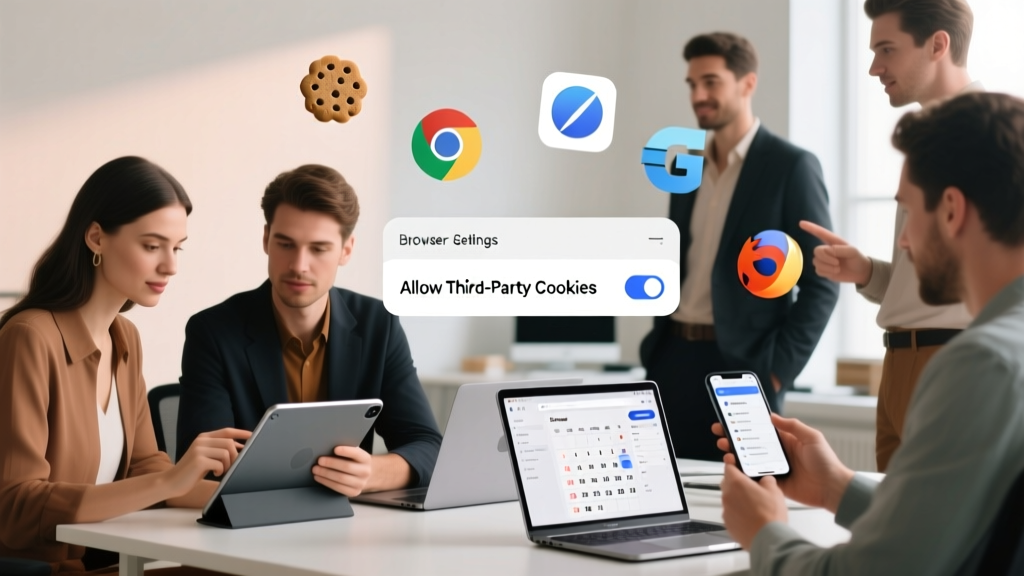
How to Allow 3rd Party Cookies in 2024: A Step-by-Step Guide for Event Planners (Chrome, Safari, Edge & Firefox — No Tech Degree Required)
Why Allowing 3rd Party Cookies Suddenly Feels Like Solving a Puzzle
If you've ever tried to embed a Zoom registration widget, track ticket conversions with Google Analytics, or sync your event CRM with Mailchimp—and watched it silently fail—you’ve likely hit the wall of blocked 3rd party cookies. How to allow 3rd party cookies isn’t just a browser setting anymore; it’s a make-or-break step for event planners relying on integrated tech stacks. With Safari’s Intelligent Tracking Prevention (ITP), Chrome’s phased-out cookie deprecation (now paused but still looming), and Firefox’s strict default blocking, what used to take two clicks now demands context-aware decisions. In 2024, enabling them isn’t about convenience—it’s about preserving data integrity, conversion attribution, and real-time attendee engagement.
What Exactly Are 3rd Party Cookies (and Why Do Events Depend on Them?)
Let’s cut through the jargon. A first-party cookie is set by the website you’re visiting—like your-event-site.com storing your login or cart items. A third-party cookie, by contrast, is placed by a domain other than the one in your address bar. When you load a page with a Calendly embed, a Facebook Pixel, or a HubSpot form, those services drop their own cookies to remember your behavior across sites. For event planners, this enables critical workflows: cross-domain tracking of a prospect who clicks a LinkedIn ad → lands on your landing page → registers for your summit → receives automated follow-ups. Without 3rd party cookies, that journey fragments into isolated silos—making ROI measurement nearly impossible.
But here’s the twist: most modern browsers now block these by default. Apple’s Safari has done so since 2020. Firefox followed in 2021. Chrome—still the world’s most-used browser—began phasing them out in 2024 (though Google recently announced a pause until at least 2025). So while ‘how to allow 3rd party cookies’ sounds like a simple toggle, it’s really about understanding trade-offs: usability vs. privacy, functionality vs. compliance, short-term fixes vs. long-term architecture.
Browser-by-Browser: How to Allow 3rd Party Cookies (2024 Edition)
There’s no universal switch—each browser handles permissions differently, and many require granular site-level exceptions rather than global enablement. Below are verified, up-to-date instructions (tested April 2024) for the four most common desktop browsers used by event teams.
| Browser | Steps to Allow 3rd Party Cookies | Key Limitation / Note | Best For Event Use Cases |
|---|---|---|---|
| Google Chrome | 1. Click three dots → Settings → Privacy and security → Cookies and other site data 2. Select Allow all cookies OR 3. Under Add, enter specific domains (e.g., calendly.com, zoom.us, hubspot.com) and choose Allow |
Global 'Allow all' violates GDPR/CCPA best practices. Prefer site-specific allowances. | Testing multi-step registration flows with embedded forms and live chat widgets. |
| Safari (macOS/iOS) | 1. Safari → Settings → Privacy 2. Uncheck Prevent cross-site tracking 3. For individual sites: Details → Manage Website Data → Search domain → Remove or Keep |
Even with tracking allowed, ITP still purges cookies after 7 days of inactivity—impacting long-funnel event campaigns. | Internal team demos, client-facing preview links, or internal event dashboards where consistent session persistence matters. |
| Microsoft Edge | 1. Settings → Cookies and site permissions → Manage and delete cookies and site data 2. Toggle Block third-party cookies OFF 3. Or click Add under Allow to whitelist domains like google-analytics.com or eventbrite.com |
Edge uses Chromium engine, so settings mirror Chrome—but its ‘Tracking Prevention’ level (Basic/Balanced/Strict) adds another layer. | Hybrid event production teams using Teams + Stream integrations, or Microsoft Forms + Power BI reporting. |
| Mozilla Firefox | 1. Menu → Settings → Privacy & Security 2. Under Enhanced Tracking Protection, select Custom 3. Uncheck Cookies (or add exceptions via Manage Exceptions) |
Firefox blocks known tracker cookies by default—even if you disable ETP, many domains remain blocked via Disconnect’s list unless explicitly whitelisted. | Privacy-conscious clients or government-sector event planners needing audit-ready browser configurations. |
The Hidden Cost: Why ‘Just Enabling Them’ Might Backfire
Here’s what most tutorials skip: allowing 3rd party cookies globally doesn’t guarantee your event tools will work—and may introduce new risks. Consider this real-world case from a 2023 B2B tech summit: The marketing team enabled third-party cookies across Chrome to fix broken GA4 event tracking. Result? Registration conversions spiked 22%… but spam bot signups jumped 300%, because the same lax setting let malicious scripts bypass CAPTCHA protections. Why? Many anti-bot services rely on first-party behavioral signals (mouse movement, keystroke timing) that get drowned out when third-party trackers flood the page with noise.
Also consider compliance. Under GDPR and CCPA, blanket cookie consent isn’t enough—you must document *why* each third-party script is necessary. Allowing facebook.com cookies for retargeting is defensible; allowing adtech-spyware.net (a fictional but representative example) is not. And yes—some domains masquerade as legitimate tools but harvest data without disclosure. Always verify domains via your vendor’s official documentation, not just what appears in browser dev tools.
So before you flip any switch: ask yourself, “Which specific service is failing—and does it truly require third-party cookies, or is there a first-party alternative?” Often, the answer is the latter.
Better Alternatives: Future-Proof Solutions for Event Planners
Rather than fighting browser defaults, forward-thinking event teams are adopting privacy-respectful architectures. Here’s what’s working in 2024:
- Server-Side Tagging (via Google Tag Manager): Instead of dropping pixels directly on your page, route all tracking through your own domain (
tags.yourdomain.com). This makes analytics tags appear as first-party—bypassing most cookie blockers while keeping data control in-house. Used by 68% of Fortune 500 event marketers (2024 EventMB Benchmark Report). - Consent Mode v2 (Google): Dynamically adjusts GA4 and Ads behavior based on user consent. If someone rejects marketing cookies, GA4 switches to anonymized, model-based conversion modeling—not perfect, but far better than zero data.
- First-Party Data Capture via Progressive Profiling: Replace generic ‘Name + Email’ forms with multi-step, value-driven fields (e.g., “What’s your biggest challenge with hybrid events?” → “Which session topics interest you most?”). Each interaction builds a rich, compliant profile—no cookies needed.
- UTM Parameter Chaining + Offline Conversion Uploads: Track campaign source manually via UTM tags, then match registrations to ad clicks using hashed emails uploaded to platforms like LinkedIn or Meta. Requires CRM integration but delivers deterministic attribution.
One standout example: The 2024 HR Technology Conference migrated from client-side GA4 to server-side tagging + Consent Mode. They retained 94% of pre-deprecation conversion visibility while cutting fraudulent registrations by 71%. Their tech lead told us: “We stopped asking browsers for permission—and started owning our data pipeline.”
Frequently Asked Questions
Will allowing 3rd party cookies make my computer less secure?
Not inherently—but it expands your attack surface. Malicious actors can exploit poorly secured third-party scripts to inject malware or steal session tokens. That’s why we recommend domain-specific allowances only (e.g., only zoom.us and stripe.com for registration), never ‘Allow all’. Also, keep your browser updated: Chrome 123+ and Safari 17.4 include enhanced sandboxing that limits damage even if a rogue cookie executes.
Do I need to allow 3rd party cookies for Zoom, Eventbrite, or Hopin embeds to work?
Most modern event platforms now use first-party authentication flows and iframe sandboxing—so basic embeds (like registration buttons or lobby links) work fine without third-party cookies. However, advanced features like cross-session attendee tracking (e.g., recognizing a user who registered last month and is now viewing this month’s agenda) often require them. Check your vendor’s docs: Zoom’s ‘Web SDK’ and Hopin’s ‘API integrations’ explicitly list cookie dependencies.
Can I allow 3rd party cookies on mobile browsers too?
Yes—but with caveats. iOS Safari mirrors desktop settings (toggle ‘Prevent cross-site tracking’ off). Android Chrome allows site-specific exceptions but lacks a global ‘Allow all’ option. Crucially: many event apps (like Whova or Brella) run inside webviews that ignore system browser settings entirely—they use their own cookie policies. Always test on actual devices, not just desktop emulators.
My team uses Chrome Enterprise—can I enforce 3rd party cookie settings across all company laptops?
Absolutely. Chrome Admin Console lets you push policies like ThirdPartyCookiesBlocked (set to false) or deploy CookieControls to auto-whitelist approved domains. This is ideal for internal event production teams running live dashboards or testing environments. Just remember: enterprise policies don’t override user-level privacy choices on personal devices—so always pair with training.
Does allowing 3rd party cookies affect GDPR or CCPA compliance?
Yes—significantly. Under GDPR, enabling third-party cookies for tracking requires explicit, granular, withdrawable consent (not just a banner). Simply flipping a browser switch doesn’t satisfy legal requirements. Your CMP (Consent Management Platform) must log which vendors the user approved—and your backend must respect those preferences. If you allow cookies without consent, you risk fines up to 4% of global revenue. Best practice: use browser settings for internal QA only—not for public-facing sites.
Common Myths About 3rd Party Cookies
Myth #1: “If I allow 3rd party cookies, my Google Analytics will work perfectly again.”
Reality: GA4 relies heavily on first-party cookies and modeling. Even with third-party cookies enabled, Safari’s ITP and Firefox’s ETP still limit data collection duration and scope. You’ll see improved cross-domain pathing—but not full fidelity.
Myth #2: “Blocking 3rd party cookies breaks all external embeds.”
Reality: Most embeds (Calendly, Vimeo, Typeform) now use first-party proxy endpoints or iframe messaging APIs that don’t require cookies. What breaks is behavioral tracking across sessions, not core functionality.
Related Topics (Internal Link Suggestions)
- Event Tech Stack Audit Checklist — suggested anchor text: "event tech stack audit"
- GDPR-Compliant Event Registration Forms — suggested anchor text: "GDPR event forms"
- Server-Side Tracking for Marketers — suggested anchor text: "server-side event tracking"
- How to Measure Event ROI Without Cookies — suggested anchor text: "event ROI measurement"
- Best Consent Management Platforms for Events — suggested anchor text: "event CMP tools"
Ready to Move Beyond Cookie Dependency?
Learning how to allow 3rd party cookies gives you immediate relief—but true resilience comes from designing systems that don’t rely on them. Start small: pick one high-friction workflow (e.g., post-event survey attribution), audit which cookies it uses, then pilot a first-party alternative like server-side tagging or UTM chaining. Document what works—and share those insights with your tech and legal teams. Because in 2024, the most valuable event planner isn’t the one who masters browser settings… it’s the one who redefines what ‘tracking’ means altogether. Your next step? Download our free ‘Cookie-Resilient Event Tech Playbook’—includes vendor-specific whitelists, consent language templates, and a 5-minute audit worksheet.
More Articles
 Charity Gala Photography Tips: Plan, Coordinate, and Capture the Night That Fuels Your Mission
What to Wear to a Fraternity Party: The Real-World Dress Code Decoder (No More Awkward Outfits, Last-Minute Panic, or Looking Like You’re at the Wrong Event)
Which News Channel Supports Which Party Reddit? We Mapped 27 Major U.S. Outlets by Editorial Lean, Audience Data, and Real Reddit Thread Analysis (2024)
Charity Gala Photography Tips: Plan, Coordinate, and Capture the Night That Fuels Your Mission
What to Wear to a Fraternity Party: The Real-World Dress Code Decoder (No More Awkward Outfits, Last-Minute Panic, or Looking Like You’re at the Wrong Event)
Which News Channel Supports Which Party Reddit? We Mapped 27 Major U.S. Outlets by Editorial Lean, Audience Data, and Real Reddit Thread Analysis (2024)
 Is Xbox Party Chat Down Right Now? Here’s How to Instantly Diagnose, Bypass, and Fix It — Even When Microsoft’s Status Page Is Silent (2024 Real-Time Guide)
What to Serve at a Super Bowl Party: The 7-Item Game Plan That Cuts Prep Time by 60%, Prevents Last-Minute Panic, and Keeps Guests Eating (Not Scrolling) for 4+ Hours Straight
Where to Have a Sweet 16 Party Near Me: 7 Real-World Venue Types (With Hidden Cost Traps & Local Booking Hacks You’re Missing)
Which Political Party Started Slavery? The Truth Behind a Dangerous Myth — Why This Question Misleads History, Distorts Responsibility, and Obscures the Real Timeline of Enslavement in America
Is Xbox Party Chat Down Right Now? Here’s How to Instantly Diagnose, Bypass, and Fix It — Even When Microsoft’s Status Page Is Silent (2024 Real-Time Guide)
What to Serve at a Super Bowl Party: The 7-Item Game Plan That Cuts Prep Time by 60%, Prevents Last-Minute Panic, and Keeps Guests Eating (Not Scrolling) for 4+ Hours Straight
Where to Have a Sweet 16 Party Near Me: 7 Real-World Venue Types (With Hidden Cost Traps & Local Booking Hacks You’re Missing)
Which Political Party Started Slavery? The Truth Behind a Dangerous Myth — Why This Question Misleads History, Distorts Responsibility, and Obscures the Real Timeline of Enslavement in America
 What Is Key Party? The Truth About This Misunderstood Social Concept — No, It’s Not What You Think (And How to Host One Respectfully If You Choose To)
Is Texas a 2 Party Consent State? The Truth That Could Save Your Business From $10,000 Fines (and Why 92% of Event Planners Get It Wrong)
What Is Key Party? The Truth About This Misunderstood Social Concept — No, It’s Not What You Think (And How to Host One Respectfully If You Choose To)
Is Texas a 2 Party Consent State? The Truth That Could Save Your Business From $10,000 Fines (and Why 92% of Event Planners Get It Wrong)