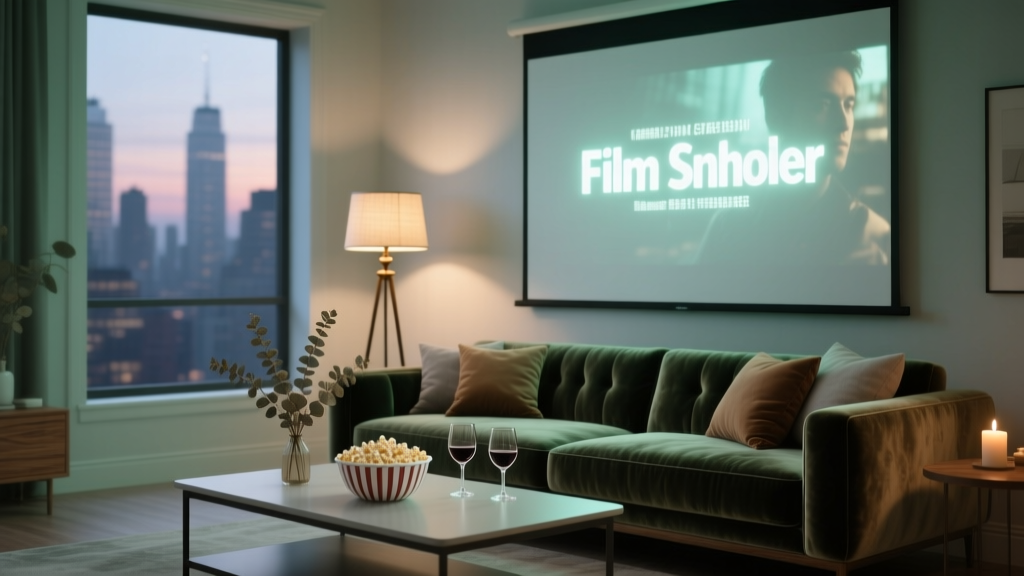
Step-by-Step Guide to a Film Screening
A film screening can feel effortless for guests—lights dim, the story begins, and everyone settles in. Behind the scenes, though, a successful screening is a carefully coordinated event with many moving parts: licensing, venue logistics, audio/visual requirements, guest flow, timing, and contingency plans. When you plan it well, the screening becomes more than a movie night; it becomes an experience your audience will remember and talk about.
Whether you’re hosting a community fundraiser, a brand launch with a short film, an indie premiere, or a private backyard screening, proper event planning protects your budget, your schedule, and your reputation. Clear steps and checklists prevent last-minute tech surprises, overcrowded entry lines, and “we forgot the microphones” moments—while also helping you create an atmosphere that fits your theme and goals.
This guide breaks down film screening planning into a practical timeline, with budget considerations, vendor tips, real-world examples, and common mistakes to avoid. Use it as your event coordination blueprint from first idea to final wrap.
1) Define Your Screening Goal, Audience, and Format
Start with the “why.” A screening can serve many purposes, and your decisions will change depending on the goal.
Clarify your event goal
- Fundraiser: Maximize ticket sales, sponsorships, and on-site donations. Add a short program and clear donation moments.
- Community event: Focus on accessibility, comfort, and a family-friendly run-of-show.
- Brand/PR event: Prioritize photo opportunities, signage, and a tight program that supports your story.
- Festival-style screening: Plan for filmmaker Q&A, press seating, and a more formal check-in process.
Choose the screening format
- Indoor theater or auditorium: Best for high-quality projection and sound; often comes with built-in A/V support.
- Multi-purpose venue (gallery, event hall): Flexible but may require renting screens, projectors, speakers, and drape.
- Outdoor screening: Great for a relaxed vibe; requires weather planning, lighting control, power, and sound management.
- Hybrid screening: Adds streaming complexity and rights considerations; plan camera/audio capture and online access.
Quick decision checklist
- Estimated guest count and seating style (theater rows, lounge seating, picnic blankets)
- Film length and rating (affects start time, family-friendliness, and curfew needs)
- Program elements (welcome remarks, sponsor acknowledgments, Q&A, after-party)
- Accessibility needs (captions, wheelchair seating, assistive listening)
2) Legal, Licensing, and Permissions (Don’t Skip This)
If you’re showing a film outside a personal, private setting, you typically need the appropriate public performance rights. For event planning and risk management, handle licensing early—ideally before marketing begins.
What to confirm
- Screening rights: Public performance license or agreement with the rights holder/distributor.
- Film delivery format: DCP, Blu-ray, digital file, streaming link, or laptop playback requirements.
- Venue permissions: Insurance requirements, fire code occupancy, security requirements.
- Music/clip usage: If you’re showing additional clips or using music in pre-show content, confirm usage rights.
Practical tip: Put licensing deadlines into your planning timeline. Last-minute rights issues can force you to change the film or cancel, which is costly and stressful.
3) Build Your Planning Timeline (Step-by-Step)
Use this timeline template for event organization and coordination. Adjust based on event size—corporate screenings and ticketed events need more lead time than a small private screening.
8–12 Weeks Out: Foundation & Bookings
- Confirm event goal, date range, and target attendance
- Select venue and secure contract
- Start licensing process and confirm film availability
- Create your high-level budget (see budget section below)
- Decide ticketing approach (free RSVP, paid tickets, suggested donation)
- Identify key vendors: A/V, rentals, catering, security, photographer
- Outline your run-of-show (arrival, pre-show, screening, program, exit)
6–8 Weeks Out: Design the Guest Experience
- Finalize event branding/theme (minimalist, red-carpet, cozy outdoor, etc.)
- Plan seating layout and capacity calculations
- Confirm A/V needs and schedule a site walk
- Book rentals (screen, projector, speakers, chairs, lounge furniture)
- Plan concessions/food and beverage service
- Confirm accessibility accommodations (captions, reserved seating)
- Draft marketing plan and communications schedule
4–6 Weeks Out: Operations & Promotion
- Launch event page and ticketing/RSVP system
- Confirm staffing plan (check-in, ushers, A/V tech, stage manager)
- Create signage plan (entry, restrooms, seating, sponsor recognition)
- Build your event day production schedule
- Order printed materials (tickets/wristbands, programs, step-and-repeat banner)
- Plan contingency options (weather backup, spare equipment)
2–3 Weeks Out: Finalize Details
- Confirm film delivery and test playback plan
- Finalize menu and quantities; confirm dietary options
- Send attendee reminders with parking, timing, and policies
- Confirm vendor load-in/load-out times and contacts
- Prepare volunteer/staff briefing materials
- Review safety plan: first aid, emergency exits, crowd flow
1 Week Out: Confirm, Print, Pack
- Run a full technical rehearsal if possible (or at least a playback test)
- Print final checklists, seating chart, and run-of-show
- Prepare check-in supplies (devices, chargers, lists, wristbands)
- Confirm final attendance counts and adjust seating/food accordingly
- Send final “Know Before You Go” email
Event Day: Execute Like a Pro
- Load-in: A/V setup, seating placement, signage, catering staging
- Tech check: Picture, sound, subtitles/captions, microphones
- Front-of-house setup: Check-in table, stanchions/queue, program distribution
- Doors open: Music playlist, concession open, ushers guiding seats
- Pre-show: Welcome slide, sponsor loop, housekeeping announcements
- Screening: Monitor audio levels and room temperature; minimize disruptions
- Program/Q&A: Timed transitions, microphone runner, audience management
- Exit: Organized flow, post-event survey QR code, thank-you signage
Post-Event (24–72 Hours): Wrap & Improve
- Send thank-you emails to attendees, sponsors, and partners
- Pay vendors and close out contracts
- Collect photos/video and share highlights
- Debrief with your team: what worked, what to change
- Track results: attendance, revenue, donations, engagement
4) Film Screening Checklist (Printable-Style)
Venue & Logistics
- Contract signed; load-in/out times confirmed
- Capacity and fire code verified
- Floor plan and seating layout finalized
- Restroom access and wayfinding confirmed
- Parking/transportation plan communicated
- Accessibility plan in place (ramps, reserved seating, captions)
A/V & Technical
- Screen size and sightlines confirmed
- Projector brightness suitable for environment (especially outdoors)
- Sound system sized for room/area; neighbors/noise restrictions checked
- Playback device tested (laptop, media server, Blu-ray, DCP)
- Backup plan: spare cables, adapters, second playback device, extra batteries
Guest Management
- Ticketing/RSVP list organized
- Check-in stations staffed and equipped
- Ushers assigned to seating zones
- House rules prepared (phones, photography, late seating policy)
- Clear start time and latecomer procedure
Food, Beverage & Atmosphere
- Concessions plan (popcorn, candy, drinks) or catering menu finalized
- Trash and recycling bins placed strategically
- Lighting plan for pre-show and safe exit
- Decor and signage installed without blocking sightlines
5) Budget Breakdown + Cost-Saving Strategies
Film screening budgets vary widely based on venue type, A/V needs, and licensing. Start with a realistic range, then build line items so you can make informed tradeoffs.
Example budget categories (with typical ranges)
- Venue rental: $500–$5,000+
- Film licensing/public performance rights: $300–$2,500+ (can be higher for new releases)
- A/V rental + technician: $800–$6,000+ (screen, projector, sound, labor)
- Seating and event rentals: $300–$3,000 (chairs, staging, drape)
- Staffing/security: $200–$2,000 (ushers, guards, EMT depending on venue rules)
- Insurance/permits: $150–$1,000
- Food and beverage: $3–$25 per person (snacks to catered reception)
- Marketing/printing: $100–$1,500
- Decor/signage: $100–$1,000
- Contingency: 10–15% of total budget
Cost-saving tips that don’t reduce quality
- Choose a venue with built-in A/V: The right theater can reduce rentals and labor.
- Limit “nice-to-haves”: Upgrade sound before you upgrade decor—audio quality is the experience.
- Use sponsorship packages: Offer logo placement in pre-show slides, programs, and step-and-repeat photos.
- Streamline food service: Pre-packaged concessions reduce staffing and waste.
- Negotiate bundle pricing: A/V vendors often discount when providing technician + equipment.
6) Vendor Selection Tips (A/V, Venue, Catering, Rentals)
Strong vendor relationships are a core event planning trend: reliable partners reduce risk, improve timelines, and simplify communication.
How to vet an A/V partner
- Ask what they need from you: film format, resolution, audio specs, connector types
- Request a line-item quote (equipment, labor hours, delivery, setup, strike)
- Confirm on-site technician coverage during doors, screening, and Q&A
- Ask about backups (spare projector bulb, extra mic, duplicate playback path)
Venue questions that prevent day-of surprises
- What time can vendors load in?
- Is there a dedicated A/V booth or control area?
- Are there noise restrictions or curfews (especially outdoors)?
- What are the rules on outside food, alcohol, and signage?
- What staffing is required by the venue (security, ushers, custodial)?
Catering and concessions guidance
- Choose foods that are quiet and low-mess during the film (avoid loud wrappers where possible)
- Offer at least one gluten-free and one non-alcoholic option
- Plan trash flow: bins at entry/exit and near concessions
7) Real-World Examples (What Planning Looks Like)
Example A: Community fundraiser screening (150 guests, indoor auditorium)
- Goal: Raise $5,000 for a local nonprofit
- Event flow: 30-min reception + 10-min program + 90-min film + 15-min Q&A
- Smart strategies: Sponsor slide loop pre-show, QR-code donations on seat cards, volunteer ushers to reduce staffing costs
- Key coordination win: Tight run-of-show kept the event on time for families and venue curfew
Example B: Outdoor “cinema under the stars” brand event (80 guests)
- Goal: Create shareable moments and collect sign-ups
- Event flow: Check-in photo moment + themed snacks + short welcome + film
- Smart strategies: Lounge seating clusters, cozy lighting that doesn’t hit the screen, weather backup plan (tenting or alternate date)
- Key coordination win: Pre-tested audio levels and a neighbor-friendly sound plan avoided complaints
8) Common Film Screening Planning Mistakes to Avoid
- Skipping licensing: This can force cancellation or legal issues. Secure rights early.
- No technical rehearsal: Many screening problems come from format mismatches and cable/adaptor gaps.
- Underestimating load-in time: A/V setup, sound checks, and seating take longer than expected.
- Bad sightlines: A screen that’s too low or blocked by decor ruins the experience.
- Weak crowd flow: Poor check-in layout creates lines and late seating disruptions.
- Ignoring comfort: Temperature, ventilation, and seating spacing directly affect guest satisfaction.
- No contingency plan: Outdoor events need weather triggers; indoor events need backup playback options.
9) Current Event Planning Trends to Use at Your Screening
- Experience-first layouts: Lounge clusters, themed photo areas, and curated playlists improve guest engagement without major costs.
- Digital-first coordination: QR code check-in, mobile programs, and text reminders reduce printing and speed up entry.
- Inclusive planning: Captioning, clear signage, and accessible seating are increasingly expected—and they broaden your audience.
- Sustainability upgrades: Compostable serviceware, water refill stations, and right-sized food ordering reduce waste.
FAQ: Film Screening Event Planning
Do I need a license to show a movie at my event?
In most public or ticketed settings, yes. Public performance rights are commonly required even for “free” events. Start licensing early and get requirements in writing from the rights holder or distributor.
How early should I start planning a film screening?
Plan for 8–12 weeks for ticketed or sponsor-supported screenings. Smaller private screenings may work with 2–4 weeks, but you’ll still want time to test A/V and confirm the venue details.
What’s the most common technical issue at screenings?
Playback format and connectivity problems (wrong file type, missing adapters, audio routing issues). Avoid this by testing the exact playback setup in the venue and having a backup device and cables.
How do I keep guests from arriving late and disrupting the film?
Use a clear schedule, open doors early, and set a late-seating policy. Add pre-show content (slides, sponsor loop, short welcome) and assign ushers to guide late arrivals to side seating.
What should I serve at a film screening?
Choose low-mess, low-noise items: popcorn cups, pre-portioned snacks, bottled or canned drinks, and clearly labeled dietary options. For premium events, add a reception before the film rather than during it.
Next Steps: Turn Your Plan into a Confident Event Day
- Pick your date, define your goal, and confirm your expected guest count
- Secure the venue and begin licensing immediately
- Lock in A/V and schedule a site walk plus a playback test
- Build your run-of-show and staffing plan, then plug them into the timeline above
- Finalize your checklist, budget, and contingency plans one week out
With the right event planning structure—timelines, checklists, vendor coordination, and smart contingencies—your film screening can run smoothly and feel memorable from the first guest arrival to the final credits.
Want more step-by-step party organization and event coordination guides? Explore additional planning resources at smartpartyprep.com.
More Articles
 How to Change Political Party Online Arizona: The 4-Step Digital Process (No Mail, No Wait, No Mistakes — Updated for 2024 Primary Deadlines)
How to Stream The Hunting Party Without Lag, Legal Issues, or Losing Guests: A Step-by-Step 2024 Guide for Hosts Who Want Real-Time Engagement (Not Just a Zoom Link)
Was the Populist Party Successful? We Analyzed 12 Major Populist Movements Across 5 Continents—and Found 3 Surprising Patterns That Predict Real-World Impact (Not Just Votes)
The 7-Step Yacht Party Playbook: How to Plan an Unforgettable Event Without Overspending, Overbooking, or Looking Like an Amateur (Even If You’ve Never Planned One Before)
How to Set Up a Bar for Party Without Stress or Overspending: A 7-Step Proven System That Cuts Setup Time by 65% and Prevents Last-Minute Panic (Backed by 127 Host Surveys)
What Is a Kentucky Derby Party? The No-Stress Blueprint (7 Must-Do Steps, Real Budget Breakdowns & What 92% of Hosts Get Wrong)
How to Change Political Party Online Arizona: The 4-Step Digital Process (No Mail, No Wait, No Mistakes — Updated for 2024 Primary Deadlines)
How to Stream The Hunting Party Without Lag, Legal Issues, or Losing Guests: A Step-by-Step 2024 Guide for Hosts Who Want Real-Time Engagement (Not Just a Zoom Link)
Was the Populist Party Successful? We Analyzed 12 Major Populist Movements Across 5 Continents—and Found 3 Surprising Patterns That Predict Real-World Impact (Not Just Votes)
The 7-Step Yacht Party Playbook: How to Plan an Unforgettable Event Without Overspending, Overbooking, or Looking Like an Amateur (Even If You’ve Never Planned One Before)
How to Set Up a Bar for Party Without Stress or Overspending: A 7-Step Proven System That Cuts Setup Time by 65% and Prevents Last-Minute Panic (Backed by 127 Host Surveys)
What Is a Kentucky Derby Party? The No-Stress Blueprint (7 Must-Do Steps, Real Budget Breakdowns & What 92% of Hosts Get Wrong)
 Which Political Party Supported Slavery? The Truth Behind 19th-Century Party Alignments — How Misinformation Distorts History, Why Modern Labels Don’t Apply, and What Primary Sources Reveal About Whigs, Democrats, Free Soilers, and the Birth of the Republican Party
 What Is a Tailgating Party? (And Why Your First One Doesn’t Need a Stadium Ticket, a Grill, or Even a Truck — Here’s How to Do It Right in 2024)