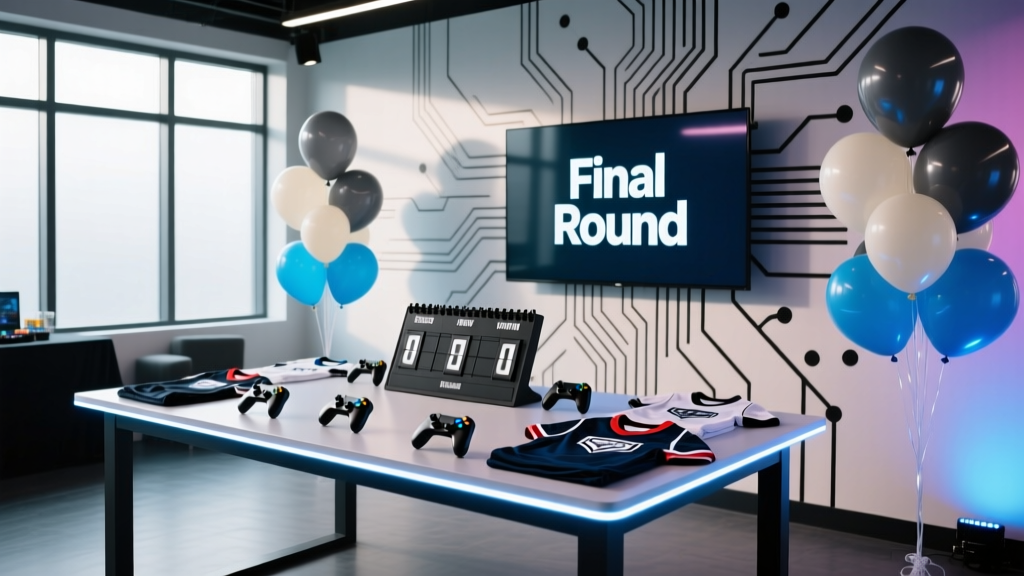
How to Plan a Game Tournament Like a Pro
Game tournaments look effortless when they run well: matches start on time, players know where to go, spectators stay engaged, and the finals feel like a true event moment. Behind that smooth experience is solid event planning—clear rules, a realistic schedule, reliable tech, and a coordination plan that anticipates what can go wrong before it happens.
Whether you’re organizing a friendly backyard cornhole bracket, a corporate Mario Kart showdown, a community chess tournament, or a multi-console esports night, the same principles apply. A tournament is a live system with moving pieces: players, games, equipment, scorekeeping, space flow, and audience energy. Proper planning turns “organized chaos” into a professional event that feels fair, fun, and memorable.
This guide breaks down a step-by-step tournament planning timeline, practical checklists, budget considerations, vendor selection tips, common mistakes to avoid, and real-world examples you can adapt for your next party or event.
Start with the Tournament Blueprint: Purpose, Format, and Experience
Define the goal and the vibe
Before you book a venue or buy prizes, clarify what “success” looks like. Your decisions about format, staffing, budget, and timing should serve the event’s purpose.
- Community building: prioritize inclusivity, casual rules, and social time.
- Competitive play: emphasize fairness, clear regulations, and strong scorekeeping.
- Fundraising: build sponsorships, raffles, and premium add-ons (VIP seating, merch).
- Corporate team-building: keep rounds short, add mixed-skill teams, and celebrate participation.
Choose the right tournament format
Match format impacts time, staffing, and player satisfaction. Pick the simplest structure that supports your goal.
- Single elimination: fastest; best for limited time, but players get fewer matches.
- Double elimination: more forgiving; longer, but improves perceived fairness.
- Round robin: everyone plays everyone; great for small groups, time-intensive.
- Swiss system: players face opponents with similar records; ideal for larger groups without long eliminations.
- Group stage + playoffs: balanced experience; requires strong scheduling.
Set the tournament rules (and make them easy to understand)
Your rules are part of your event coordination plan. They prevent disputes and reduce day-of stress.
- Game version, platform, and settings (timers, maps, items on/off, difficulty)
- Match length (best-of-1, best-of-3) and tiebreakers
- Check-in window and late policy
- Sportsmanship expectations and penalty process
- Equipment rules (controllers allowed, bring-your-own headset, etc.)
Pro tip: publish a one-page “Quick Rules” sheet plus a longer rules document for competitive events.
Step-by-Step Planning Timeline (with Checklists)
4–6 Weeks Out: Lock the fundamentals
- Confirm the event basics: date, start/end time, location, capacity, and target number of players.
- Finalize format and match rules: decide on bracket type, match length, and scoring.
- Build your planning team: assign roles (tournament director, check-in lead, scorekeeper, tech support, floor manager).
- Pick registration method: Google Forms + payment link, Eventbrite, or your website sign-up.
- Create your event communications: registration page copy, confirmation email, and day-of schedule.
- Checklist:
- Venue agreement secured (or host location confirmed)
- Estimated player count and spectator plan
- Rules drafted and reviewed
- Registration open with clear deadlines
- Basic budget drafted
2–3 Weeks Out: Design the flow and source what you need
- Map the event layout: gaming stations, bracket/scoreboard area, check-in table, spectator zones, charging stations, refreshments.
- Confirm equipment list: consoles/PCs, monitors/TVs, controllers, HDMI cables, power strips, extension cords, surge protectors, ethernet cables.
- Choose scorekeeping tools: printed brackets, shared spreadsheet, or tournament platform.
- Secure prizes and signage: trophies, medals, gift cards, sponsor swag, directional signs.
- Plan the run-of-show: opening welcome, rules briefing, round timing, breaks, finals, awards.
- Checklist:
- Floor plan drawn and reviewed for crowd flow
- Equipment sourced and ownership assigned (who brings what)
- Staff schedule drafted (setup, event hours, teardown)
- Food and beverage plan confirmed
- Accessibility considerations addressed (seating, pathways, volume)
1 Week Out: Test, confirm, and reduce risk
- Run a tech rehearsal: test every station (display settings, controllers, accounts, updates).
- Finalize brackets: seed players if applicable and prepare backups for no-shows.
- Send the player info packet: arrival time, parking, rules summary, what to bring, contact number.
- Prepare printed materials: check-in list, waivers if needed, quick rules sheets, station labels.
- Confirm vendors: catering drop-off time, AV rental delivery window, photographer schedule.
- Checklist:
- All equipment tested and labeled
- Backups prepared (extra controllers, spare cables)
- Emergency kit packed (tape, markers, batteries, first-aid basics)
- Final headcount and bracket readiness confirmed
Day-Of Timeline Template (adaptable)
- T-3:00 hours: venue access, station setup, signage placement
- T-2:00: tech test on all stations, internet check, sound levels
- T-1:15: staff briefing (roles, escalation process, schedule)
- T-1:00: player check-in opens, warm-up stations available
- T-0:15: rules briefing, sportsmanship reminder, photo moment
- T: tournament begins (Round 1)
- Midpoint: planned break (snacks, reset stations, highlight matches)
- Finals: feature match setup, spectator announcement, optional livestream
- Awards: top finishers + fun awards (best comeback, best teammate)
- Teardown: inventory check, lost-and-found sweep, venue walkthrough
Smart Scheduling: Keep the Tournament Moving
Time math that prevents delays
Scheduling is where many tournament events break down. Use this formula to estimate timing:
- Match block time = gameplay duration + setup (2–5 min) + reporting (2–3 min) + buffer (2–5 min)
- Example: 10-minute match + 3 setup + 2 reporting + 5 buffer = 20 minutes per block
Practical guideline: schedule fewer rounds than you think you can fit, then add optional side activities (free play, mini-challenges) if you run early.
Stagger check-in and start times
- Offer a 45–60 minute check-in window for larger events.
- For casual party tournaments, start with a “warm-up round” that doesn’t affect final standings.
- Use text alerts or a group chat for round calls (a proven coordination strategy for live events).
Budget Planning for a Tournament Event (with Sample Breakdown)
A professional tournament doesn’t require a huge spend, but it does require a realistic event budget. Decide early where quality matters most: reliable equipment, enough staff support, and a great player experience.
Sample budget (50-person local tournament)
- Venue rental: $200–$1,200 (community hall vs. dedicated event space)
- Equipment rental or upgrades: $150–$600 (monitors, AV, extra controllers)
- Internet/AV support (if needed): $0–$300
- Prizes: $100–$500 (trophy + gift cards + sponsor items)
- Food & beverage: $200–$700 (snacks + water + simple catering)
- Decor/signage/printing: $40–$150
- Staffing (optional paid support): $0–$800
- Contingency (10–15%): $70–$500
Cost-control tips:
- Use sponsorships for prizes (local businesses often donate gift cards for logo placement).
- Prioritize power, cables, and backups over fancy decor—events fail from tech gaps, not plain tablecloths.
- Offer tiered tickets: player entry fee vs. spectator pass, or early-bird pricing.
Vendor Selection Tips: Venue, AV, Catering, and Extras
Venue considerations for tournaments
- Power density: enough outlets and circuits for multiple stations
- Lighting and glare: avoid direct sunlight on screens
- Noise control: separate loud areas from focused play zones
- Wi-Fi reliability: request a dedicated network or hardline options
- Space planning: allow room behind each station for movement and spectators
AV and tech vendors: what to ask
- Delivery and setup time windows
- On-site support availability (even 2 hours can save a tournament)
- Replacement policy for faulty gear
- Cable inventory included (HDMI lengths, adapters, splitters)
Catering for game events (trend-aware and practical)
Current event planning trends lean toward flexible, grab-and-go options and inclusive menus. For tournaments, minimize mess and downtime.
- Individually wrapped snacks, hydration stations, and clearly labeled dietary options
- Timed food breaks announced between rounds
- Finger foods that won’t grease controllers (avoid saucy wings near stations)
Operational Details That Separate Amateur from Pro
Registration and check-in system
- Use a digital roster with phone numbers for fast communication.
- Assign each player a number (works better than name spelling in noisy rooms).
- Color-code wristbands or badges by division (beginner/advanced, youth/adult).
Scorekeeping and dispute handling
- Require winners to report scores at a central table (or via QR code form).
- Take photos of results for key matches (quick audit trail).
- Have a written dispute process:
- Pause match
- Call floor judge
- Decision within 3 minutes
- Document outcome
Engagement for spectators and downtime
A strong tournament experience includes the “in-between” moments.
- Feature match area with a simple mic announcement for finals
- Side challenges: fastest lap, trick-shot contest, puzzle sprint
- Photo backdrop with event logo (a low-cost upgrade that boosts sharing)
Real-World Examples You Can Copy
Example 1: Corporate team-building Mario Kart tournament (24 players)
- Format: 6 teams of 4, group stage + playoffs
- Time: 2.5 hours total
- Success strategy: mixed-skill teams and “fun awards” (best teammate, unluckiest race)
- Pro detail: a printed run-of-show and a visible countdown timer on a central screen
Example 2: Community chess tournament (40 players)
- Format: Swiss system, 5 rounds
- Time: 4 hours with scheduled break
- Success strategy: strict round start times and quiet zone signage
- Pro detail: clear tie-break rules published in advance (reduces end-of-event conflict)
Example 3: Backyard cornhole tournament (32 players)
- Format: double elimination
- Time: 3–4 hours
- Success strategy: two courts running simultaneously with a dedicated scorekeeper
- Pro detail: hydration station + shade plan to keep players comfortable and on schedule
Common Game Tournament Planning Mistakes (and How to Avoid Them)
- Underestimating setup time: add 30–60 minutes more than you think you need, especially for tech.
- No buffer between rounds: scheduling back-to-back matches guarantees delays.
- Unclear rules: “We’ll decide if it comes up” leads to disputes and frustration.
- Too few staff for the room: one person can’t handle check-in, bracket updates, and tech support.
- Ignoring power and cable management: bring labeled extension cords, tape down hazards, and plan charging.
- Not planning for no-shows: set a late policy and have alternates or byes ready.
- Overcomplicating the format: keep it simple unless your audience expects high-level competitive structure.
FAQ: Planning and Coordinating a Tournament
How many setups (stations/courts/boards) do I need?
Plan based on desired event length. As a rule, 1 station can comfortably support 8–12 players in a casual bracket over a few hours, depending on match time. For larger groups, multiple stations prevent long waits and improve the guest experience.
What’s the best way to collect registration and payments?
For most party organizers, a form + payment link works well (simple, low cost). For public events, a ticketing platform helps with automated confirmations and check-in lists. Always include refund and transfer policies.
How do I seed players fairly?
If you don’t have ranking data, avoid heavy-handed seeding. Use random seeding or a short placement round. For corporate or casual events, consider balancing teams by self-reported skill levels.
How do I keep matches on time without being harsh?
Use a visible schedule, announce round calls clearly, and build in buffer time. A friendly but firm late policy (for example, 5 minutes then forfeit) keeps the event fair for everyone who showed up on time.
Do I need event insurance or waivers?
It depends on your venue and event type. Public events, rented venues, and higher-attendance tournaments often require liability coverage. Waivers may be appropriate for minors, physical games, or any event with heightened risk. Check venue requirements early in your planning timeline.
What are current trends that work well for tournaments?
Hybrid-friendly communication (QR codes for brackets and updates), streamlined check-in, inclusive food options, and “experience upgrades” like a feature match area, simple livestream, or photo moments are popular because they improve engagement without adding chaos.
Actionable Next Steps: Your Tournament Planning Mini-Plan
- Pick your format and match length (single elimination vs. double vs. Swiss).
- Draft a one-page rules sheet and share it with players before registration closes.
- Build your equipment inventory and assign ownership for every item.
- Create your run-of-show with buffers and a defined check-in window.
- Lock your budget with a 10–15% contingency and decide where sponsorships can help.
For more step-by-step event planning, party organization checklists, and coordination strategies, explore the latest guides on smartpartyprep.com.
More Articles
 How to Join a Watch Party on Discord in 2024: The Only 5-Step Guide You’ll Need (No Bots, No Glitches, Just Smooth Streaming)
 Why Sausage Party Is Rated R: The Exact MPAA Reasons (Plus What You Can Safely Show at Your Adult Movie Night Without Breaking Venue Rules)
How Did the Black Panther Party End? The Truth Behind Its Collapse — Not Betrayal, Not Failure, But Strategic Dissolution Amid State Suppression, Internal Fractures, and Evolving Liberation Priorities
Why Sausage Party Is Rated R: The Exact MPAA Reasons (Plus What You Can Safely Show at Your Adult Movie Night Without Breaking Venue Rules)
How Did the Black Panther Party End? The Truth Behind Its Collapse — Not Betrayal, Not Failure, But Strategic Dissolution Amid State Suppression, Internal Fractures, and Evolving Liberation Priorities
 Did Trump Throw a Great Gatsby Party? The Truth Behind the Viral Rumor, What Actually Happened at Mar-a-Lago’s 2019 Gala, and How to Plan Your Own Authentic Jazz Age Affair Without the Misinformation
Was Kevin Hart at the Diddy Party? We Verified Every Guest Photo, Timeline, and Social Media Post — Here’s What Actually Happened (and Why It Matters for Your Next High-Stakes Event)
What Is Labor Party in Australia? The Truth Behind Its History, Values, Power Shifts, and Why It’s Not Just ‘The Left’ — A Clear, Nonpartisan Breakdown for Voters, Students, and New Citizens
Did Trump Throw a Great Gatsby Party? The Truth Behind the Viral Rumor, What Actually Happened at Mar-a-Lago’s 2019 Gala, and How to Plan Your Own Authentic Jazz Age Affair Without the Misinformation
Was Kevin Hart at the Diddy Party? We Verified Every Guest Photo, Timeline, and Social Media Post — Here’s What Actually Happened (and Why It Matters for Your Next High-Stakes Event)
What Is Labor Party in Australia? The Truth Behind Its History, Values, Power Shifts, and Why It’s Not Just ‘The Left’ — A Clear, Nonpartisan Breakdown for Voters, Students, and New Citizens